 Video To Photo – Grab Frame
Video to photo on iPhone. Grab the exact frame in HD.
Scrub to the perfect moment, grab one still or dozens, and save them as JPG, PNG or HEIC — right on your iPhone. No upload, no account.

- Works offline
- JPG · PNG · HEIC
- ZIP & PDF export
- No account

Built for one job: getting photos out of videos
Video To Photo – Grab Frame is an iPhone frame grabber that turns video clips into high-resolution still photos, entirely on your device.
Land on the exact moment
Drag along the filmstrip and stop on the frame you want — the smile, the jump, the eyes-open shot.
Real frames, not screenshots
Stills are taken from the video itself — no player controls, no black bars, no screen-size limit.
Grab as many as you like
Save every frame you like in one pass, review them side by side, keep only the best.
JPG, PNG, HEIC + ZIP or PDF
Pick the image format and how you get it: separate files, one ZIP archive or a single PDF.
100% on-device
Your videos never leave your iPhone. No upload, no account, works in airplane mode.
Projects you can reopen
Every clip is saved as a project, so you can come back later and grab more frames.
From video to photo in six screens
Straight from the App Store listing — this is exactly what you get.



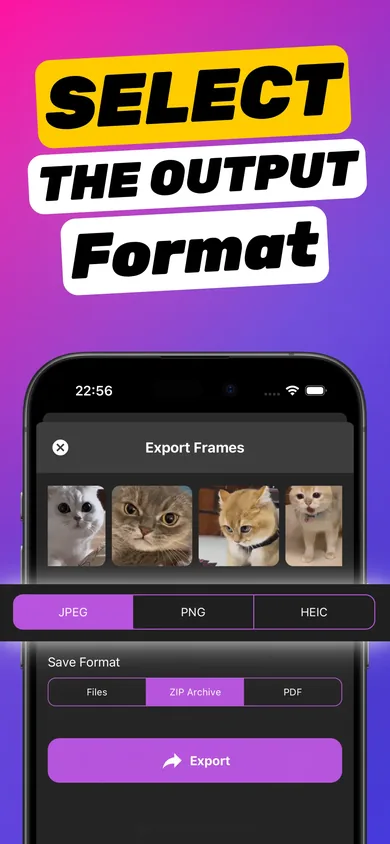
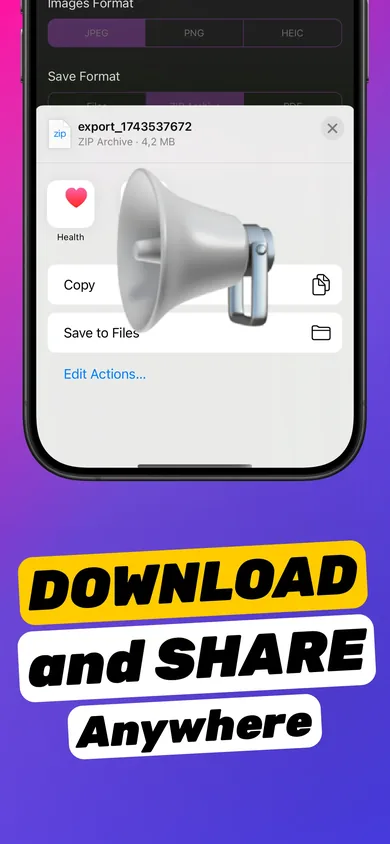
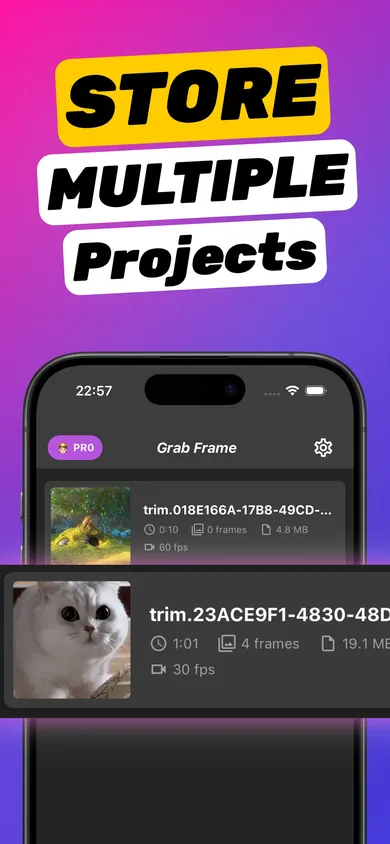
How to extract a frame from a video on iPhone
Four steps, about a minute, nothing to learn.
-
Share a video from Photos
Open the clip in Photos, tap Share and pick the app in the share sheet — or open the app and choose a video. It opens straight into frame-grab mode.
-
Scrub and grab
Drag along the filmstrip to the exact moment and tap Grab This Frame. Repeat for every moment you want to keep.
-
Keep only the best
Preview your grabbed frames full screen, zoom in to check sharpness, and delete the misses.
-
Export and share
Choose JPEG, PNG or HEIC, then save as separate images, one ZIP archive or a PDF — and share them anywhere.
Video-to-photo guides for iPhone
Clear answers to the questions people search most — and the fastest way to do each one on your iPhone.
How to get a picture from a video on iPhone
The three ways to pull a photo out of a video on iPhone — and the only one that keeps full quality.
Read the guide screenshot a video without losing qualityScreenshot a video on iPhone without losing quality
Why video screenshots look soft — and the no-screenshot way to save a sharp, full-size frame.
Read the guide save frame from video iPhoneSave a single frame from a video to Photos
Export one exact frame from a video and put it in your Photos library or Files — without touching the original clip.
Read the guide frame grabber app for iPhoneChoosing a frame grabber app for iPhone
Six things that separate a good video-to-photo app from a screenshot tool with ads — and a checklist to test any app in two minutes.
Read the guide extract multiple frames from a videoExtract multiple frames from one video
Grab a whole sequence of stills from one clip and export them together — as images, a ZIP archive or a PDF.
Read the guide frame by frame video on iPhoneGo frame by frame through an iPhone video
Find the precise moment in a video — and save it as a photo once you've found it.
Read the guide clear picture from a videoGet a clear, high-quality picture from a video
Why video stills look soft, what you can fix after recording, and what to change before you hit record.
Read the guide video to JPG / PNG converterConvert video frames to JPG, PNG or HEIC
Which image format to pick for your video frames — and how to export them on iPhone without an online converter.
Read the guide video frames to PDFTurn video frames into a PDF
Pick the key moments of a video and export them as one clean PDF — for storyboards, lessons and reviews.
Read the guide thumbnail from a video on iPhoneMake a thumbnail from your video on iPhone
Find the frame that earns the click, export it sharp, and turn it into a YouTube, TikTok or Reels cover.
Read the guideVideo to photo on iPhone: FAQ
How do I get a picture from a video on iPhone?
On iOS 27 and later, pause the video in Photos, tap ••• and choose Save Video Frame as Photo to save that one frame. For older iOS, or to grab many frames at once and export JPG, PNG, HEIC, ZIP or PDF, use Video To Photo – Grab Frame.
Learn more: How do I get a picture from a video on iPhone?How do I screenshot a video on iPhone without losing quality?
A screenshot only captures your screen, with player controls and black bars, so a 4K frame shrinks to screen size. Instead, extract the frame from the video file itself: grab it in Video To Photo – Grab Frame and export as PNG or HEIC to keep full quality.
Learn more: How do I screenshot a video on iPhone without losing quality?How do I save a single frame from a video to my Photos?
On iOS 27, Photos can do it: pause, tap ••• and choose Save Video Frame as Photo. With Video To Photo – Grab Frame you can do it on any supported iOS and save several frames at once: grab them, tap Export and save to Photos or Files. The original video is not changed.
Learn more: How do I save a single frame from a video to my Photos?What is the best frame grabber app for iPhone?
Look for four things: frame-accurate scrubbing, export at the video's own resolution, on-device processing and batch export. Video To Photo – Grab Frame does all four and adds JPG, PNG and HEIC plus ZIP and PDF export.
Learn more: What is the best frame grabber app for iPhone?Can I extract multiple frames from a video at once?
Yes. In Video To Photo – Grab Frame you can tap Grab This Frame as many times as you like in one clip, review them together, and export them all at once as separate images, a ZIP archive or a PDF.
Learn more: Can I extract multiple frames from a video at once?How do I go frame by frame through a video on iPhone?
The Photos player is built for watching, not precise stepping. In Video To Photo – Grab Frame, drag slowly along the filmstrip and watch the large preview to land on the exact moment, then grab it.
Learn more: How do I go frame by frame through a video on iPhone?How do I get a clear, high-quality picture from a video?
Pick a frame with little motion, prefer 4K or 60 fps clips, and extract the frame from the file rather than screenshotting. Export as PNG or HEIC to avoid extra compression. Grab a few frames around the moment and keep the sharpest.
Learn more: How do I get a clear, high-quality picture from a video?Can I convert a video to JPG or PNG on iPhone?
Yes. Video To Photo – Grab Frame exports any frame you grab as JPG, PNG or HEIC. JPG is best for sharing, PNG for lossless editing, and HEIC for the smallest files at high quality on Apple devices.
Learn more: Can I convert a video to JPG or PNG on iPhone?How do I turn video frames into a PDF?
Grab the frames you need in Video To Photo – Grab Frame, choose PDF as the save format and export. You get a single PDF of your frames — handy for storyboards, lesson notes and reports.
Learn more: How do I turn video frames into a PDF?How do I make a thumbnail from a video on iPhone?
Scrub to an expressive, sharp moment, grab the frame and export it as PNG or high-quality JPG. Then add text in your favourite editor and upload it as a custom thumbnail on YouTube, TikTok or Instagram.
Learn more: How do I make a thumbnail from a video on iPhone?Your best photo is hiding in a video.
Get it out in seconds — full quality, on your iPhone, without uploading anything.
 Scan with your iPhone camera to install
Last updated: October 2026