
Why pictures from videos look blurry
- Motion blur. Each video frame is exposed for a fraction of a second. If the subject moves during that time, it smears.
- Screen capture. Screenshots scale the video down to your screen and add another save. See why screenshots lose quality.
- Video compression. Videos are heavily compressed; in-between frames can carry less detail than others.
- Low light. In dim scenes the camera uses longer exposures and more noise reduction, which softens detail.
What you can fix after recording
| Problem | Fix |
|---|---|
| Blurry subject | Grab several neighbouring frames and pick the sharpest |
| Small or cropped image | Extract the frame from the file instead of screenshotting |
| Blocky artifacts | Export PNG or HEIC, not low-quality JPG; avoid re-saving |
| Moment between blinks | Scrub slowly — the right frame often sits 1–2 frames away |
How to get the sharpest possible frame from a video
-
Open the clip
Share the video from Photos to Video To Photo – Grab Frame so the frame is read from the file, not your screen.

-
Hunt for the still moment
Scrub around the action. Look for peaks — the top of a jump, the pause before a laugh — where movement is smallest.

-
Grab a burst and compare
Grab 3–5 neighbouring frames, then zoom into eyes, edges or text in the preview and delete the soft ones.

-
Export without extra compression
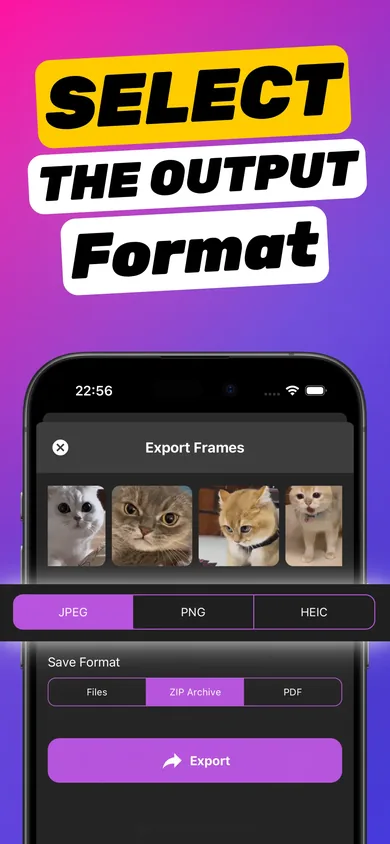
Export the winner as PNG (lossless) or HEIC (high quality, small file). Use JPG only for quick sharing.
Try it on your own video — it takes about a minute.

Record for better stills next time
- Use 4K. More pixels per frame means more detail and room to crop (Settings → Camera → Record Video).
- Use 60 fps for action. More frames to choose from and shorter exposure per frame means less blur.
- Add light. Daylight or a bright room makes the biggest difference to sharpness.
- Hold steady. Brace your elbows or use a stand; camera shake blurs every frame.
Should I upscale or "enhance" the frame?
AI upscalers can make a small frame look bigger, but they invent detail. Start from the best real frame first — extracted at the video's own resolution — and only enhance if you really need a larger print.
Choosing between formats? Read video to JPG, PNG or HEIC or the blog's HEIC vs JPG for exported frames.
Frequently asked questions
Can a picture from a video be as good as a photo?
From a sharp, well-lit 4K clip, an extracted frame can look very close to a photo, especially for social media. A dedicated photo still has advantages such as faster shutter and processing designed for stills.
What resolution is a frame from a 4K video?
A 4K iPhone video frame is 3840 × 2160 pixels, about 8.3 megapixels. A 1080p frame is 1920 × 1080, about 2 megapixels.
Which export format keeps the most detail?
PNG is lossless and keeps every pixel. HEIC keeps nearly the same quality in much smaller files. JPG adds some compression but is the most compatible.