
JPG vs PNG vs HEIC for video frames
| Format | Quality | File size | Best for |
|---|---|---|---|
| JPG / JPEG | Very good (lossy) | Small | Messages, social media, email, websites — works everywhere |
| PNG | Lossless | Largest | Editing, thumbnails with text, collages, anything you'll re-save |
| HEIC | Excellent (efficient) | Smallest for the quality | Keeping in your Apple Photos library, iPhone-to-Mac workflows |
Not sure? Pick JPG for sharing and PNG for anything you'll edit. Our blog covers the trade-offs in depth: HEIC vs JPG when exporting frames.
Why not an online video-to-JPG converter?
- You have to upload the full video — slow on mobile data and not great for private clips.
- Many convert at fixed intervals, so you get hundreds of images but maybe not the moment you wanted.
- Free tiers often cap file size or add watermarks.
How to convert video frames to JPG, PNG or HEIC on iPhone
-
Open the video
Share it from Photos to Video To Photo – Grab Frame, or open the app and pick the clip.

-
Grab the frames to convert
Scrub to each moment and tap Grab This Frame. Only the frames you pick get converted.

-
Pick JPEG, PNG or HEIC
Tap Export and choose the image format at the top of the export sheet.
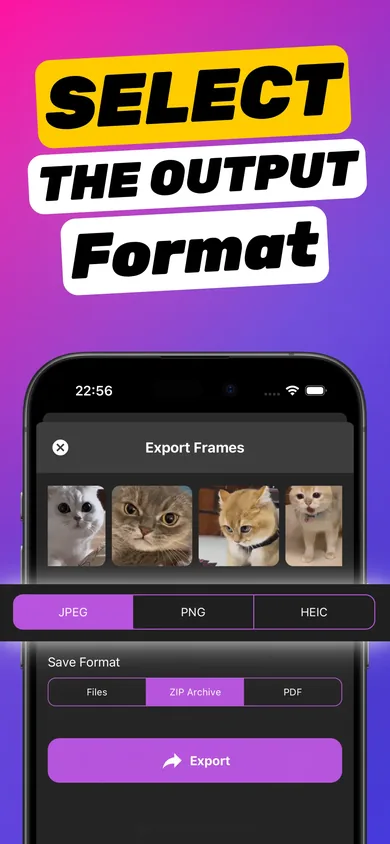
-
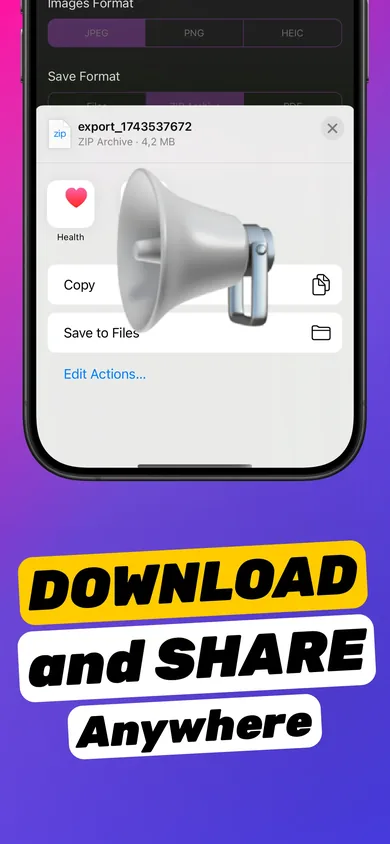
Choose files, ZIP or PDF and save
Export as separate images, one ZIP archive or a PDF, then save to Photos or Files or share anywhere.
Try it on your own video — it takes about a minute.

Format tips by use case
- YouTube or TikTok thumbnail → PNG, then add text. See making a thumbnail from a video.
- Sending to Windows or Android users → JPG (HEIC isn't supported everywhere).
- Printing → PNG or high-quality JPG from a 4K clip.
- Archiving lots of frames → HEIC in a ZIP to save space.
- A document of frames → PDF export. See video frames to PDF.
Does converting reduce quality?
PNG keeps every pixel of the extracted frame. JPG and HEIC use compression, but at the quality levels used for photos the difference is very hard to see. What matters far more is extracting the frame from the file rather than taking a screenshot.
Frequently asked questions
Can I convert a video to JPG on iPhone for free?
Video To Photo – Grab Frame is a free download with optional Pro features via in-app purchase. It converts frames on your iPhone without uploading the video.
Can I convert a video to PNG frames?
Yes. Grab the frames you want and choose PNG in the export sheet. Export them as separate PNG files or as one ZIP archive.
Can Windows open HEIC files?
Newer Windows versions can with the right extension, but support isn't universal. If you're sending frames to someone outside Apple devices, export as JPG.