
Frame by frame in the Photos app
- Open the video and tap pause.
- Touch the thumbnail strip (the timeline) at the bottom and drag slowly left or right.
- Hold your finger on the strip for a moment to expand it for finer control.
This is fine for viewing. Once you find the moment on iOS 27 or later, tap ••• and choose Save Video Frame as Photo to keep it. On older iOS the only built-in option is a screenshot, which loses quality — and on any version, a frame grabber lets you keep several moments from the same pass.
Why slow scrubbing matters
At 30 fps, each frame lasts 33 milliseconds; at 60 fps, 17 ms. Blinks, ball contact and facial expressions change within a couple of frames, so the difference between a great still and a missed one is often one frame.
How to step through a video and save the frame you want
-
Open the video in the app
Share the clip from Photos to Video To Photo – Grab Frame. It opens with a large preview and a filmstrip.

-
Scrub slowly along the filmstrip
Drag in small movements and watch the preview. Go back and forth around the action until you land on the moment.

-
Grab it — and its neighbours
Tap Grab This Frame, nudge a little and grab again. Compare them in the preview and keep the best.

-
Export the winner
Export as PNG or HEIC to keep the full detail for analysis, coaching notes or sharing.
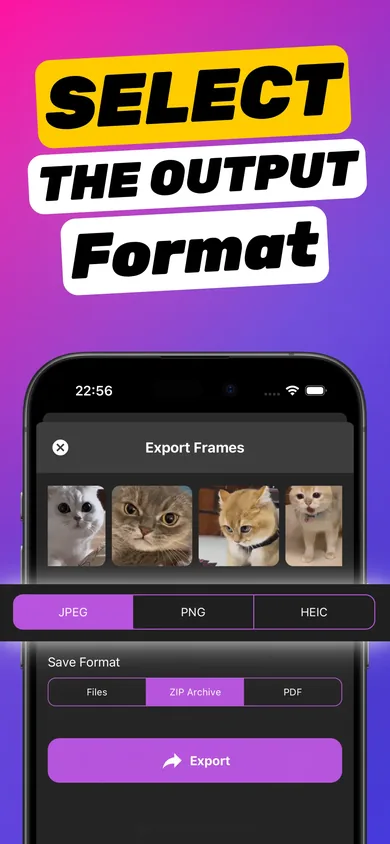
Try it on your own video — it takes about a minute.

Great uses for frame-by-frame
- Sports coaching — golf and tennis swings, running form, jumps. Grab key positions and export a PDF for side-by-side review.
- Kids and pets — the one frame where everyone is looking at the camera.
- Tutorials and screen recordings — freeze the exact step and save it as a reference image.
- Reviewing footage — check what really happened at a finish line or a near-miss.
Record for easier frame-by-frame later
Recording at 60 fps (Settings → Camera → Record Video) gives you twice as many moments to choose from and less motion blur per frame. Slow-motion clips give even more. More tips in getting a clear picture from a video.
Frequently asked questions
Can the iPhone Photos app play a video frame by frame?
Not with dedicated step buttons. You can pause and drag the timeline strip slowly, which gets close. On iOS 27 and later you can then save the current frame with ••• → Save Video Frame as Photo.
How do I save the frame I found?
Open the video in Video To Photo – Grab Frame, scrub to the same moment and tap Grab This Frame, then export as JPG, PNG or HEIC.
Is 60 fps better for frame by frame?
Yes. 60 fps gives twice as many frames as 30 fps and each frame has less motion blur, so it's easier to find a sharp moment.